

Website Redesign vs Rebuild: How to Know Which One Your Business Needs
One costs a fraction of the other — but picking the cheaper option for the wrong problem usually ends up costing more.
When a business website starts feeling outdated, slow, or hard to manage, the question that comes up almost immediately is website redesign vs rebuild — do you refresh what’s already there, or start over from scratch? The two are often confused, but they solve genuinely different problems, and picking the wrong one is a common way businesses waste both budget and time.
What Each One Actually Means
A redesign updates the visual layer — new look, updated layout, refreshed content — while keeping the underlying platform, database, and core functionality intact. A rebuild replaces the foundation itself: a new platform, new codebase, or a fundamentally different architecture, because the existing one can no longer support what the business needs.
Quick Self-Assessment
Answering mostly “yes” to question 1 alone points toward a redesign. Answering “yes” to questions 2 through 4 points toward a rebuild, regardless of how the site currently looks.
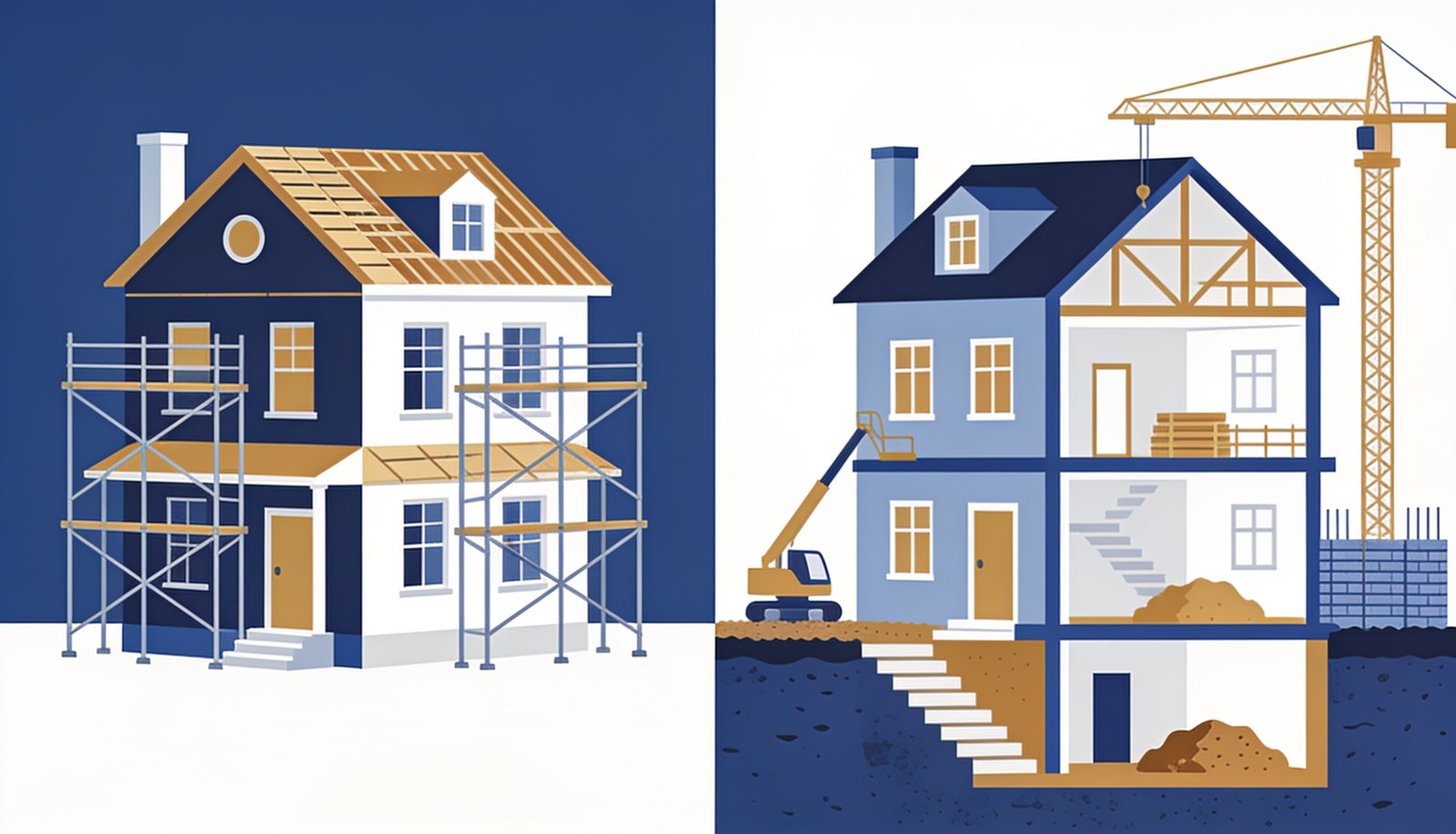
A redesign is a renovation — you keep the structure and refresh the finish. A rebuild is new construction — the foundation itself is being replaced.
Comparing the Two Paths
Redesign
- Lower cost, typically weeks not months
- Keeps existing SEO rankings largely intact
- Best when the platform still works but looks dated
- Lower risk of disrupting day-to-day operations
Rebuild
- Higher cost and longer timeline
- Requires careful SEO migration planning
- Necessary when the platform can’t support new needs
- Opportunity to fix structural, not just cosmetic, problems
The Mistake Businesses Make Most Often
The most common error is choosing a redesign to avoid the cost and disruption of a rebuild, even when the underlying platform is the actual problem — resulting in a site that looks better for six months before the same technical issues resurface. If your team spends more time fighting the platform than adding content or features, no amount of visual polish will fix that; it’s a signal you’re in rebuild territory even if the budget conversation is uncomfortable.
How to Protect Your SEO Rankings Either Way
Whichever path you choose, preserving existing search rankings requires deliberate planning: keep your best-performing URLs intact where possible, set up proper redirects for anything that changes, and avoid touching both design and platform simultaneously without a rollback plan. We covered related platform-decision groundwork in our piece on static vs dynamic website architecture, which is worth reviewing before committing to either a redesign or a full rebuild.
Website Redesign vs Rebuild: A Real-World Example
Consider two businesses facing similar-looking complaints about their websites. The first runs a five-year-old site that still processes orders reliably, loads acceptably, and has no security issues — customers just find the layout confusing and the branding outdated. That’s a textbook redesign case: the foundation is sound, only the surface needs work. The second business runs a site built on a platform the original developer abandoned, with no security updates in two years and no way to add the online booking feature customers keep asking for. No amount of visual refresh solves that — it needs a rebuild, because the constraint is structural, not cosmetic.
Budgeting for Whichever Path You Choose
A useful practice before committing to either option is getting a written scope from your developer that explicitly states which category of problem you’re solving — cosmetic or structural — since this framing alone often resolves internal disagreement about which approach is “right.” Businesses that skip this step sometimes end up mid-project realizing they actually needed the other option, which is a far more expensive place to discover the mismatch than at the planning stage.
How Digital Darzee Approaches This
We start every one of these conversations with an honest platform audit rather than jumping straight to a proposal, because recommending a rebuild when a redesign would do (or the reverse) wastes a client’s budget either way. For a broader framework on evaluating when a full technology change is justified, resources like Nielsen Norman Group’s guidance on redesign strategy are also a useful independent reference.
Frequently Asked Questions
Looking for help with this in practice? Explore our website development services in Ludhiana.
Frequently Asked Questions
How do I know if I need a redesign or a full rebuild?
If the site’s structure and backend still work but look outdated, a redesign is enough. If it’s slow, insecure, or built on an obsolete platform, a rebuild is usually necessary.
Is a rebuild always more expensive than a redesign?
Usually yes upfront, but a rebuild can be cheaper long-term if the old site’s technical debt is costing you in speed, security, or missed features.
Can I redesign without losing my SEO rankings?
Yes, if done carefully — keeping URLs consistent or properly redirected, and preserving content structure, prevents most ranking loss during a redesign.
Not sure if you need a redesign or a rebuild?
We’ll audit your current site honestly and recommend the option that actually solves your problem.
Usually replies within a few hours